
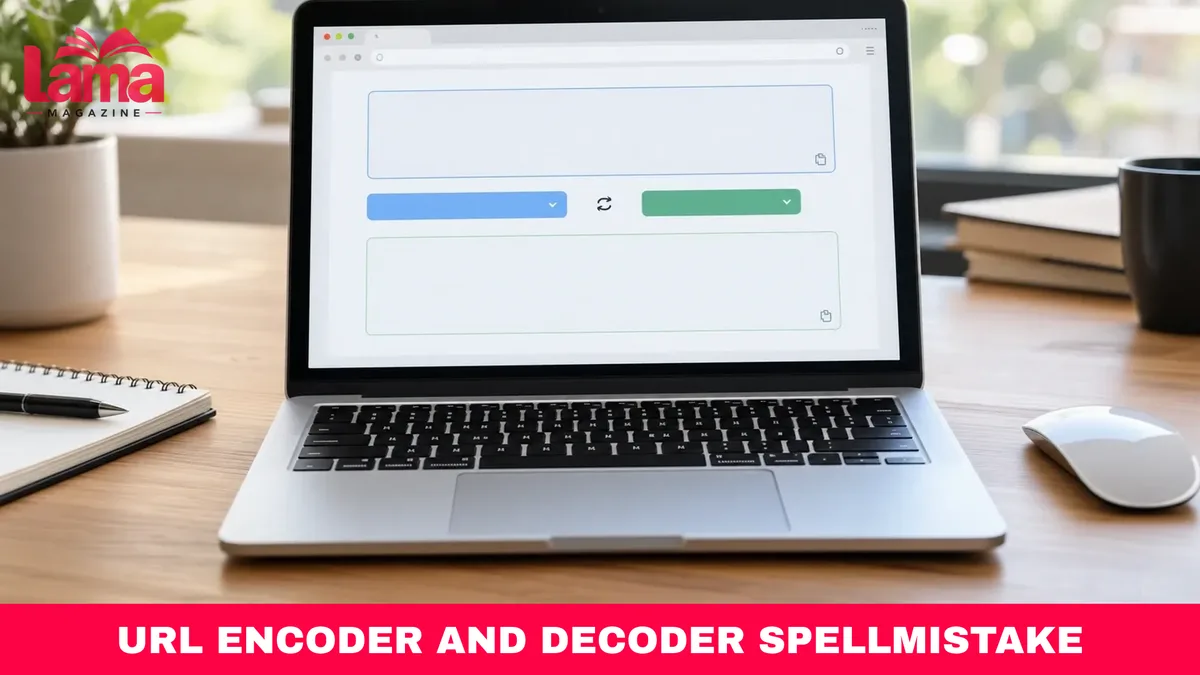
The url encoder and decoder spellmistake tool offers a convenient way to convert special characters into URL-compatible formats and turn encoded text back into readable information. Whether you are building website links, preparing API requests, managing SEO campaigns, or troubleshooting broken URLs, understanding encoding can help you avoid frustrating formatting errors.
SpellMistake provides an online URL Encoder / Decoder designed for people who need straightforward text conversion without writing code. However, knowing when to encode an entire address versus an individual URL component is just as important as choosing the right tool.
This guide explains how SpellMistake’s utility works, what URL encoding actually does, how to use it correctly, and which common mistakes can cause problems with website links and query parameters.
Quick Answer: The URL Encoder / Decoder on SpellMistake is an online utility that converts text into percent-encoded characters and reverses that conversion. For example, a space can become %20, while decoding changes %20 back into a space. It is useful for preparing URL components, reading encoded links, and troubleshooting special characters. Spell Mistake
What Is URL Encoder and Decoder SpellMistake?
The SpellMistake URL Encoder / Decoder is a web-based utility for converting regular text into URL-encoded strings and decoding encoded information into a readable format.
It is part of SpellMistake’s collection of SEO and website management tools, which also includes utilities for checking website information and working with web addresses.
The tool’s published documentation describes a straightforward process: enter text, choose whether to encode or decode it, and copy the converted result. The website presents it as a free utility. However, its published description does not establish independently verified processing speeds, privacy protections, or technical performance benchmarks. Spell Mistake
Why URL Encoding Matters
Web addresses contain characters that have specific technical meanings. A question mark (?) commonly introduces a query string, while an ampersand (&) separates parameters.
Consider this URL:
https://example.com/search?q=coffee&category=drinks
Here, the ampersand separates two query parameters. But suppose someone wants to search for the phrase “coffee & tea.”
Using the ampersand directly inside the search value could cause a system to interpret part of the phrase as another parameter.
Correctly encoding the search value produces:
https://example.com/search?q=coffee%20%26%20tea
Now the ampersand is represented as %26, helping preserve the intended search phrase.
This behavior follows the principles described in RFC 3986, the Internet Engineering Task Force’s standard for URI syntax.
Who Can Benefit From the Tool?
A URL encoder can be useful for several types of users:
- Website owners: Preparing links containing special characters.
- Developers: Working with API endpoints and query parameters.
- SEO specialists: Inspecting campaign URLs and tracking parameters.
- Content creators: Checking encoded links before publishing articles.
- Students and beginners: Learning how browsers represent certain characters in web addresses.
Although these tasks vary, the underlying purpose remains consistent: preserving the intended meaning of data placed inside URLs.

How URL Encoding and Decoding Actually Work
URL encoding is commonly called percent-encoding. It represents certain characters using a percent sign followed by two hexadecimal digits for each encoded byte.
For example, the space character can be represented as %20.
The encoding system is not specific to SpellMistake. It is a standardized concept used throughout web technologies.
Understanding Common Encoded Characters
The following examples demonstrate common URL-encoding transformations.
| Original character | Encoded form | Meaning |
|---|---|---|
| Space | %20 | Separates words |
& | %26 | Ampersand |
? | %3F | Question mark |
= | %3D | Equals sign |
# | %23 | Hash symbol |
% | %25 | Percent sign |
+ | %2B | Plus sign |
/ | %2F | Forward slash |
@ | %40 | At sign |
These examples apply when the characters are encoded as data within a URL component. They should not be interpreted as instructions to replace every occurrence of these characters in a complete web address.
For instance, the forward slashes in https:// serve a structural purpose and should generally remain unchanged.
How URL Decoding Reverses the Process
Decoding translates percent-encoded data back into its original text.
Consider:
Best%20Coffee%20Shops%20%26%20Cafes
After decoding, it becomes:
Best Coffee Shops & Cafes
This is particularly useful when examining an unfamiliar URL, reviewing application logs, or determining the contents of an encoded query parameter.
However, decoding should be performed within the correct context. Replacing encoded characters before separating a URL into its components can alter its intended structure.
What About Accented Letters and Emojis?
URL encoding also supports characters outside basic ASCII text.
Modern applications generally encode Unicode text using UTF-8 bytes before percent-encoding those bytes.
For example:
café
becomes:
caf%C3%A9
The accented letter requires more than one encoded byte.
Similarly, an emoji may require multiple percent-encoded sequences.
This is normal behavior rather than an error. The number of encoded sequences depends on the UTF-8 representation of the character. IETF Datatracker+1
How to Use the URL Encoder and Decoder SpellMistake Tool
The SpellMistake website provides instructions for both encoding and decoding text. The process is intended to be accessible without programming knowledge.
Its published instructions describe input and output fields along with encoding, decoding, and copying actions. The actual interface may change, so follow the labels currently displayed on the page.
Step-by-Step: Encoding a URL Component
- Open the website. Visit
https://spellmistake.com/url-encoder-decoderin your browser. - Identify the text you need to encode. Decide whether you are preparing a search term, parameter value, filename component, or another piece of URL data.
- Enter the original text. For practice, use the example
R&D tips 2026. - Select the encoding action. Choose the Encode option described in the tool’s instructions.
- Review the result. A standard component encoder would produce
R%26D%20tips%202026. - Copy the result. Insert it into the appropriate location in your URL.
- Check the completed URL. Confirm that its separators, parameters, and other structural characters remain intact.
The example is an expected percent-encoding result, not a claim that SpellMistake’s live implementation was independently tested.
Step-by-Step: Decoding an Encoded String
Decoding follows a similar procedure.
- Open the encoder and decoder page.
- Paste an encoded string, such as
hello%20world. - Choose the Decode operation.
- Examine the resulting text.
- Confirm that the decoded content matches the intended original information.
For the example above, the expected output is:
hello world
If the decoded output contains unexpected symbols, check whether the original data was incorrectly encoded or whether the input contains malformed escape sequences.
An Important Tip About Complete URLs
Do not assume that every URL encoder treats complete addresses and individual components identically.
For example, encoding the entire text https://example.com/page as one component would encode structural characters, making it unsuitable as a directly usable website address.
When working with an existing link, it is usually better to identify the particular parameter or path segment that needs encoding rather than transforming the entire address blindly.
Choosing the Right URL Encoding Method
SpellMistake is one way to perform URL conversions, but developers and website administrators also have access to built-in programming functions.
Choosing the appropriate method depends on whether you are converting occasional strings or generating URLs automatically.
Comparing Common Encoding Methods
| Method | Best use | Main advantage | Limitation |
|---|---|---|---|
| SpellMistake online tool | Occasional manual encoding and decoding | Accessible through a web interface | Processing behavior and privacy require separate verification |
JavaScript encodeURI() | Encoding a complete URI while retaining its structural delimiters | Preserves common URL syntax characters | Not suitable for encoding arbitrary query parameter values |
JavaScript encodeURIComponent() | Encoding individual URL components | Encodes characters such as &, ?, and = | Can disrupt a complete URL’s structure if used on the entire address |
JavaScript URLSearchParams | Creating and editing query parameters | Handles query parameter serialization automatically | Uses form-style encoding, including + for spaces |
These methods are not interchangeable in every situation.
A manually operated online tool may be practical for occasional checks. Programmatic methods are generally more appropriate for applications that generate many links or handle user-submitted information.
Using JavaScript for URL Encoding
JavaScript provides built-in functions for encoding and decoding URI components.
JavaScript
const original = "coffee & tea";

const encoded = encodeURIComponent(original);
console.log(encoded);
// coffee%20%26%20tea

const decoded = decodeURIComponent(encoded);
console.log(decoded);
// coffee & tea
The encodeURIComponent() function converts reserved characters that might otherwise interfere with URL parameter structure.
Its counterpart, decodeURIComponent(), reverses that transformation for valid encoded data.
Mozilla’s JavaScript documentation explains these functions and their behavior.
Using URLSearchParams for Query Strings
For applications that construct links dynamically, URLSearchParams provides another approach.
const url = new URL("https://example.com/search");

url.searchParams.set("q", "coffee & tea");

console.log(url.toString());
// https://example.com/search?q=coffee+%26+tea
Notice that the spaces appear as plus signs instead of %20.
This happens because URLSearchParams uses the application/x-www-form-urlencoded serialization rules.
In that format, a plus sign represents a space. A literal plus sign in a parameter value needs appropriate encoding, commonly %2B.
Both representations can be valid in their respective contexts, making it important to understand the receiving system’s expectations. MDN
Common URL Encoding Mistakes and What They Mean for Your Website
Even a reliable URL encoder decoder cannot guarantee that a completed link will work if the wrong encoding method is selected.
Most problems involve incorrectly handling reserved characters, repeatedly encoding data, or misunderstanding how URLs are structured.
1. Encoding the Same Value Twice
Double encoding occurs when already encoded text is encoded again.
Original text:
First encoding:
hello%20world
Second encoding:
hello%2520world
The additional %25 represents the encoded percent sign.
A receiving application that decodes the value only once may produce hello%20world instead of hello world.
To prevent this, establish which part of your workflow performs encoding and avoid applying the same transformation repeatedly.
2. Treating URL Encoding as Encryption
Encoding does not make information confidential.
Anyone with access to an encoded string can generally decode it without a secret key.
Therefore, URL encoding should not be used as a method of protecting passwords, API keys, access tokens, or other sensitive information.
Before entering private URLs into any third-party online utility, check the service’s privacy practices and whether its processing occurs in the browser or on a remote server.
SpellMistake’s public tool description does not provide enough technical detail to independently confirm how submitted input is processed.
3. Confusing Reserved and Unreserved Characters
RFC 3986 identifies letters, digits, hyphens, periods, underscores, and tildes as unreserved characters.
Other characters can have structural meanings depending on their position within a URL.
This distinction matters because encoding a reserved delimiter can change how an address is interpreted.
A correctly encoded query value is different from a correctly structured complete URL.
4. Using Incorrect Encoding in Forms
HTML forms commonly use rules that differ slightly from the encoding conventions people encounter when examining ordinary URLs.
A typical example involves spaces represented as +.
If a system treats a literal plus sign as a space, a value such as a+b@example.com could be interpreted incorrectly unless the plus sign is encoded.
A proper form-aware URL serializer helps prevent this problem.
5. Assuming URL Encoding Automatically Improves SEO
Correct encoding helps preserve links and parameter values, but it does not directly guarantee higher search rankings.
For SEO purposes, the more important considerations include whether a URL leads to the intended page, whether internal links are consistent, and whether search engines can access the content.
Readable, descriptive URL paths are also helpful for visitors.
https://example.com/best-coffee-shops
is generally easier for a person to understand than a long address filled with unnecessary parameters.
Encoding should support technically correct URLs rather than replace sensible website organization.
6. Ignoring Malformed Encoded Text
An encoded string containing incomplete sequences, such as %2 or an invalid UTF-8 sequence, may not decode successfully.
JavaScript’s decodeURIComponent() can throw a URIError when the input contains malformed encoding.

When troubleshooting, inspect the original data and determine where the invalid sequence was introduced instead of automatically attempting repeated decoding. MDN
Frequently Asked Questions
1. What is the URL Encoder and Decoder SpellMistake tool?
It is an online utility offered by SpellMistake for converting text into percent-encoded strings and decoding those strings into readable information. The website provides instructions for manually performing both operations.
2. Is the SpellMistake URL encoder free to use?
SpellMistake describes its URL Encoder / Decoder as a free tool. However, users should check the current website for any changes to access requirements or available functionality.
3. Does URL encoding change the meaning of a link?
Correct encoding preserves data within the intended URL component. However, encoding or decoding reserved characters in the wrong location can change how the URL is interpreted and potentially break the link.
4. What is the difference between URL encoding and decoding?
Encoding converts certain characters into standardized percent-encoded representations. Decoding reverses that process, making correctly encoded information readable again. They perform opposite operations.
5. Can I use SpellMistake to encode an entire website URL?
The tool’s documentation describes encoding URLs and text. However, before encoding a complete address, confirm whether its operation preserves URL structure. Encoding an entire address as a single component can transform important delimiters and make the resulting string unsuitable for direct navigation.
6. Is URL Encoder and Decoder UploadArticle.com the same as SpellMistake?
No verified relationship establishes that these names refer to the same service. SpellMistake has a publicly accessible URL Encoder / Decoder page, while references to an UploadArticle.com encoder appear on separate websites. Do not assume the tools share the same interface, functionality, or ownership.
7. Can URL encoding fix broken website links?
It can fix certain issues caused by incorrectly represented special characters. However, it cannot repair every broken URL. Problems involving deleted pages, incorrect domains, server errors, redirects, or missing resources require other solutions.
Conclusion
The url encoder and decoder spellmistake utility provides a practical introduction to converting text between readable and percent-encoded formats. Its greatest value is helping users understand and work with special characters in web addresses.
Successful URL encoding requires more than pressing an Encode button. Users must distinguish complete URLs from individual components, avoid double encoding, and recognize that encoding provides formatting compatibility rather than data security.
For your next website or SEO task, try encoding a simple search phrase, decoding the result, and checking how it behaves inside an actual query parameter. This small exercise can help you recognize encoding errors before they affect published links or application requests.
We Also Eecommend Reading This Article For More Useful Information: Who Is Venico Cimber? Meet Matt Cimber’s Reported Son

1 Comment
Pingback: Who Is Jason Pryce? Shelly-Ann Fraser-Pryce’s Husband